The biggest differences
1. Display quality
Original screens usually have better colors, deeper blacks, stronger brightness, and better contrast.
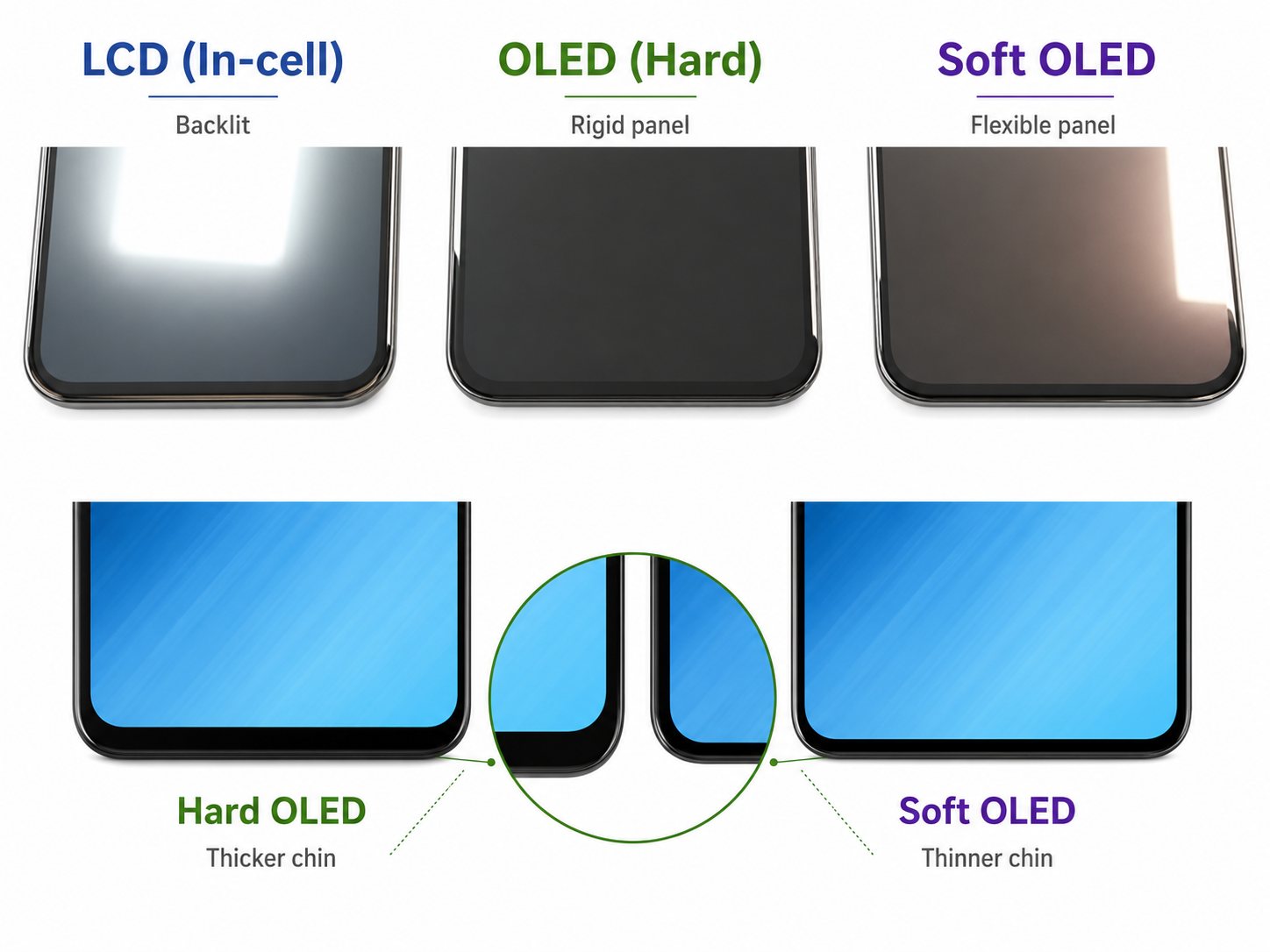
A lower-quality third-party screen may look less sharp, too blue, too yellow, or washed out. If your phone originally had an OLED screen but was replaced with a cheaper LCD, black areas may look grey instead of truly black.
2. Touch response
Original screens usually feel smoother and more accurate.
With cheaper screens, you may notice delayed typing, missed touches, random touches, or less smooth scrolling.
3. Brightness outdoors
Original screens are usually easier to see in sunlight. Some third-party screens look fine indoors but become difficult to read outside.
4. Battery life
The screen can affect battery usage. Lower-quality screens, especially LCD replacements for phones that originally used OLED, may consume more power.
This is why some people feel their battery became worse after changing the screen.
5. Features and warnings
Some phones may lose or limit features after a screen replacement, such as True Tone, high refresh rate, HDR, automatic brightness accuracy, or always-on display.
Newer phones may also show a screen replacement warning, especially if the part is not original or not properly programmed.
6. Fit and durability
Original screens usually fit better and are more consistent in quality. Cheap screens may sit slightly higher, feel different around the edges, or be more fragile.
Also, after any screen replacement, the phone’s original water resistance may be reduced.
Are third-party screens always bad?
No. A third-party screen can be a good choice if the phone is old, the budget is limited, or you only need the phone for basic use.
But quality matters. A good third-party screen is very different from a very cheap one.
When should you choose original?
An original screen is usually better if:
- The phone is expensive or still new.
- You care about display quality.
- You use the phone heavily.
- You play games or watch videos.
- You want the closest feel to the original phone.
- You plan to keep the phone for a long time.
When does a third-party screen make sense?
A third-party screen may be enough if:
- The phone is old.
- You want a lower repair cost.
- The phone is used as a backup device.
- You accept that the quality may not be exactly the same.
Final thoughts
The difference between original and third-party screens is not only price. It is also brightness, colors, touch, battery life, durability, and long-term reliability.
An original screen gives the closest experience to the factory screen. A third-party screen can save money, but its quality depends on the screen grade and the repair center installing it.
Before replacing your screen, always ask what type of screen you are getting, what features may be affected, and whether there is a warranty.